Where Is The Model Number On A Dewalt Miter Saw?
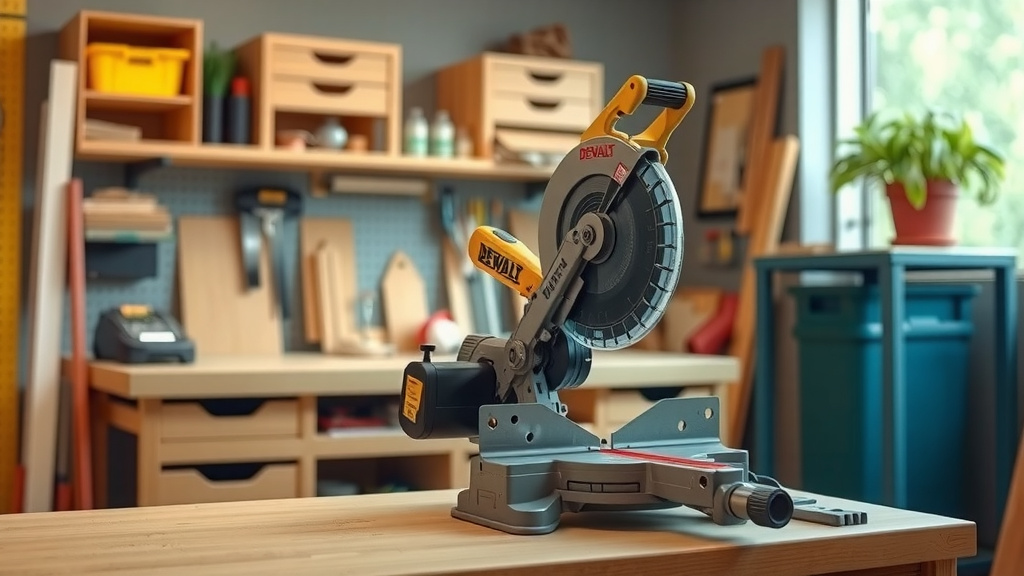
The model number on your DeWalt miter saw is usually found on a small sticker or plate located on the tool’s main housing, often near the motor, base, or under the table.
You’ll typically see it labeled as “Model No.”, “Mod.”, or “M/N”, often alongside the serial number.
TL;DR: Here’s a quick guide to finding your DeWalt miter saw’s model number:
- Look for a sticker on the saw’s base or motor housing.
- Check underneath the saw’s table for labels.
- The number is usually marked as “Model No.” or “M/N”.
- Having the model number helps with parts, repairs, and registration.
- If you can’t find it, DeWalt’s customer support can assist you.
Where Is The Model Number On A Dewalt Miter Saw?
The model number for your DeWalt miter saw is typically on a metallic or white sticker, placed on a visible part of the tool’s body.
Common spots include the motor housing, the base, or sometimes even underneath the saw’s main table assembly.
Why You Need That Model Number
Finding this little string of characters might seem like a small task, but it unlocks a lot of help for your tool.
Without it, you might struggle to order the correct replacement parts, register your warranty, or even get the right advice from customer service.
It’s like your saw’s unique ID; crucial for any sort of support or maintenance (DeWalt Support guidelines).
Beyond Replacement Parts
Think about selling your saw or checking for recalls. The model number is your key.
It ensures you’re getting the right manual or troubleshooting steps specific to your exact machine, not a similar one.
Common Places to Check for the Model Number
DeWalt typically places model number stickers in a few key areas on their miter saws.
Knowing these usual suspects will save you time and frustration.
On the Motor Housing
Many DeWalt miter saws have the sticker located directly on the motor housing, which is the large part that covers the motor.
It’s often on the side or back, where it’s less likely to be worn away by use.
On the Base or Frame
Another popular spot is on the saw’s base or the main frame.
This could be on the back, sides, or even the front, depending on the saw’s design. Look for a flat surface.
Under the Miter Saw Table
Sometimes, the sticker is placed discreetly underneath the rotating table of the saw.
You might need to tilt the saw or use a mirror to see this area clearly.
The Original Packaging or Manual
If you still have the box your DeWalt miter saw came in, or the original instruction manual, the model number is almost certainly printed there.
This is often the easiest and quickest way to find it if your physical saw sticker is damaged.
What to Look For on the Sticker
Once you spot a sticker, you need to identify the correct number.
Don’t confuse the model number with other identifiers like the serial number.
Model Number vs. Serial Number
The model number identifies the product type (e.g., DWS780), while the serial number is unique to your specific unit, like a VIN on a car.
Look for labels like “Model No.”, “Mod.”, “M/N”, or sometimes just a series of letters and numbers that typically start with “DW” or “DWS”.
We found that serial numbers often include a date code or manufacturing plant code (Tool Manufacturers Association).
Tips for a Successful Search
Sometimes, dust, grime, or wear can make finding the sticker a bit of a treasure hunt.
Here are some practical tips to help you out.
Here’s a small table illustrating common model number locations based on general design types:
| Saw Type/Design Feature | Most Common Location | Alternative Location |
|---|---|---|
| Standard Miter Saw | Rear of motor housing | Side of base plate |
| Sliding Miter Saw | Right side of motor housing | Underneath the saw table |
| Compact Miter Saw | Near handle or carrying points | Original product box |
Clean Your Saw First
A thin layer of sawdust can easily hide a small label. Give your saw a quick wipe-down, especially in the common areas.
A brush or air compressor can work wonders for tough-to-reach spots.
Use a Flashlight
Even in a well-lit workshop, some areas of the saw are shadowy. A flashlight can highlight faint print or hidden corners.
Angle the light from different directions to catch any reflections from the sticker.
Take a Photo
If you find a sticker but can’t read it well because of awkward angles, snap a photo with your phone.
You can then zoom in and read it clearly without bending into uncomfortable positions.
Understanding DeWalt Model Number Formats
DeWalt model numbers usually follow a pattern that gives clues about the tool.
They often start with “DW” (for DeWalt) followed by numbers, or “DWS” for miter saws specifically.
For example, a “DWS779” or “DWS780” tells you it’s a DeWalt sliding miter saw.
What If You Still Can’t Find It?
Don’t give up if the sticker is gone or completely unreadable.
There are still paths to getting the information you need.
Contact DeWalt Customer Support
The DeWalt support team is equipped to help you identify your tool.
They might ask for photos of your saw, details about its features, or even a serial number if you can find that (DeWalt Support resources).
Check Purchase Records
If you bought your saw online or from a major retailer, your purchase history often lists the exact model number.
Check your email receipts or account history on the retailer’s website.
Here’s a quick checklist to guide your search for your DeWalt miter saw model number:
- ( ) Check the motor housing.
- ( ) Inspect the saw’s base or main frame.
- ( ) Look underneath the saw’s rotating table.
- ( ) Consult the original product box or manual.
- ( ) Wipe down the saw to remove dirt and sawdust.
- ( ) Use a flashlight to illuminate hidden areas.
- ( ) Take a photo of any potential labels.
Conclusion
Finding the model number on your DeWalt miter saw is a straightforward task when you know where to look. Most often, it’s on a sticker on the motor housing, base, or under the table.
This little detail is big in importance, helping you with everything from maintenance to understanding your tool better.
Remember these tips, and you’ll easily keep your DeWalt saw in top working order for years to come.
FAQ: How often should I check my miter saw for wear and tear?
You should visually inspect your miter saw before each use for any obvious wear or damage. A more thorough check, including blade sharpness and pivot points, is good to do monthly or every 20 hours of operation, whichever comes first.
FAQ: Can a serial number be used instead of a model number for parts?
While a serial number uniquely identifies your specific tool, it doesn’t always specify the part needed. Manufacturers typically require the model number first, as parts are specific to a model, not an individual serial number.
FAQ: My sticker is completely worn off. What are my options?
If the sticker is gone, try to remember when and where you purchased the saw, then check your online or physical purchase records. Failing that, contacting DeWalt customer support with a detailed description and photos of your saw can often help them identify the model.
FAQ: Are all DeWalt miter saw model numbers structured similarly?
Generally, yes. Most DeWalt power tool model numbers start with “DW” or a product-specific prefix like “DWS” for miter saws, followed by a series of numbers. This helps categorize the tool and its features within their product line.
FAQ: Does the model year matter for finding parts for my DeWalt miter saw?
The model year can be important because DeWalt sometimes makes small revisions or updates to a model over its production run. While the core model number stays the same, knowing the manufacturing date (often part of the serial number) can help ensure you get the exact version of a replacement part.