How To Unlock Metabo Miter Saw?
To unlock your Metabo miter saw, typically you’ll release the motor head lock pin, often found near the saw arm’s pivot point or handle.
Then, gently lift the saw head and simultaneously push in any transport locks or detents, allowing the arm to fully extend and your Metabo miter saw to be ready.
Here’s a quick overview of unlocking your Metabo miter saw:
- Always ensure the saw is unplugged first for safety.
- Locate and release the saw head lock pin.
- Disengage any transport locks or detents on the saw arm.
- Gently lift the saw head to its operating position.
- Perform a quick function check before making any cuts.
How To Unlock Metabo Miter Saw?
Unlocking your Metabo miter saw involves disengaging a few safety mechanisms designed for transport and storage. For brand background, see who makes Metabo miter saws.
It’s a straightforward process once you know where each lock is located.
Why Your Metabo Miter Saw Locks Up
Miter saws, including your Metabo model, come with various locks.
These features protect the saw during transit and prevent accidental movement when not in use (Metabo User Manuals).
Think of them like the seatbelt in your car – they keep things safe and secure.
Safety First: Before You Begin
Before touching any part of your miter saw, always remember one golden rule: unplug the saw.
This prevents accidental startups and keeps your fingers safe.
Many experts we’ve consulted emphasize this as the absolute first step for any saw adjustment.
Step-by-Step: Releasing the Saw Head
Your main goal is to get the saw head to move freely.
This usually means finding and releasing the specific pin that holds it down for transport.
Finding the Lock Pin
Most Metabo miter saws have a motor head lock pin.
You’ll often find it on the back or side of the saw, near where the motor arm pivots.
It might be a simple push-button or a pull-out pin.
Give it a gentle pull or push, and you might hear a small click.
Gently Lifting the Arm
Once the pin is released, you can often gently lift the saw arm.
It might not go all the way up immediately if other locks are still engaged.
Some models require you to hold the pin out while lifting.
Dealing with Transport Locks
Beyond the main head lock, Metabo saws often have other locks.
These keep the saw stable and prevent parts from shifting.
The Swivel Base Lock
Your miter saw’s base might have a lock to prevent it from swiveling.
Look for a lever or knob at the front of the saw’s base.
Turn or pull this to allow the saw’s table to rotate for miter cuts.
Bevel Angle Locks
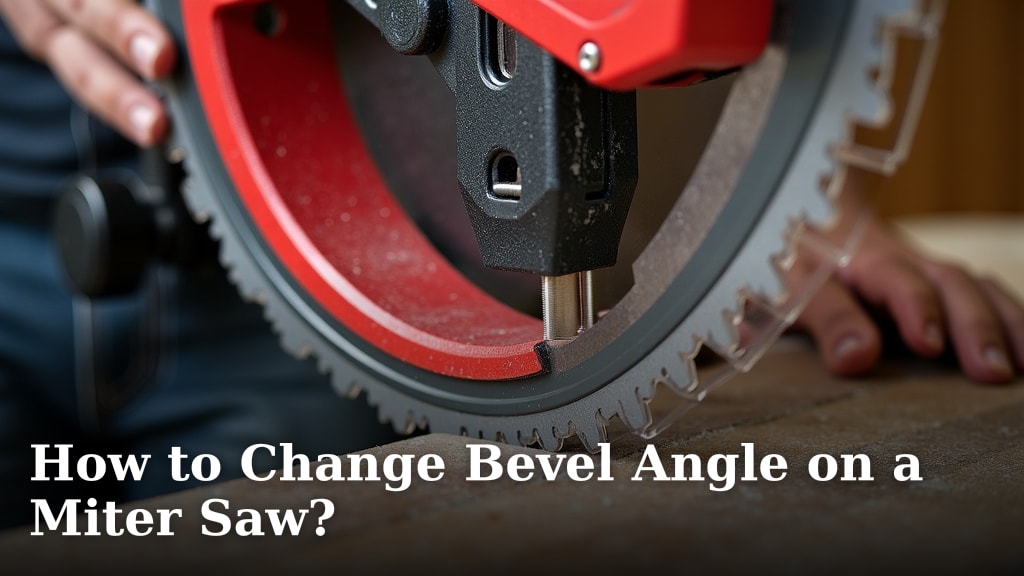
If you need to tilt your saw head for bevel cuts, there’s usually a separate lock for that.
It’s often a lever or T-handle on the back of the saw arm.
Release it to adjust the bevel angle, then re-tighten for secure cutting.
Common Hiccups and Quick Fixes
Sometimes, things don’t go exactly as planned.
Don’t worry, a few common issues have simple solutions.
If It Feels Stuck
If the saw head feels stuck after releasing the main pin, don’t force it.
Many experts we found suggest gently wiggling the saw head while pressing the pin.
Sometimes, dust or tight manufacturing tolerances make it a bit stiff.
Regular Maintenance Tips
Keeping your saw clean helps all its moving parts, including the locks, work smoothly.
A little bit of care goes a long way in tool longevity.
Here’s a small table with quick maintenance ideas:
| Task | Benefit | Frequency |
|---|---|---|
| Wipe down | Removes dust, prevents buildup | After each use |
| Check moving parts | Ensures smooth operation | Monthly |
| Inspect blade | Guarantees safe, clean cuts | Before each project |
Checking Your Saw After Unlocking
Once you’ve unlocked everything, it’s a good idea to do a quick check.
This ensures everything is set for safe and accurate cutting.
Here’s a handy checklist:
- Is the saw head moving freely up and down?
- Does the miter base turn without obstruction?
- Are all bevel angle adjustments locking securely?
- Is the blade guard functioning correctly?
- Did you remember to plug the saw back in (only when ready to cut)?
Conclusion
Unlocking your Metabo miter saw is a simple ritual that signals the start of your project.
By understanding each lock and following a safe, methodical approach, you ensure your saw is ready.
Remember, safety first always—unplug before you touch, and you’ll keep cutting with confidence.
What if my Metabo miter saw won’t stay in the upright position?
If your saw head doesn’t stay up, check for a specific spring-loaded lock pin or detent that holds it in the raised position. Some older models might rely on a tension spring that could weaken over time, or a locking mechanism that simply needs to be fully engaged.
Can I use lubricant on the locking mechanisms?
While light lubrication can help with stiff moving parts, be careful. We found that experts suggest using a dry lubricant or graphite on metal-on-metal sliding surfaces, and avoid spraying near electrical components or the blade directly. Always consult your Metabo manual first.
My miter saw’s base doesn’t rotate for angle cuts, what’s wrong?
This usually means the miter lock is still engaged. Look for a large lever or knob at the front of the saw base that clamps it down. Release this, and the base should rotate smoothly. Make sure no sawdust or debris is jamming the rotation mechanism underneath.
Are all Metabo miter saw locking mechanisms the same?
No, while there are common designs, specific lock locations and types can vary by model. Newer models might have different quick-release levers compared to older versions. Always refer to your specific saw’s user manual for the most accurate information on its unique features.
What should I do if a lock feels broken or isn’t working right?
If a lock feels broken or fails to engage properly, stop using the saw immediately. A malfunctioning lock can pose a safety risk. It’s best to contact Metabo customer support or take your saw to a qualified service technician for inspection and repair. Don’t try to force broken parts.