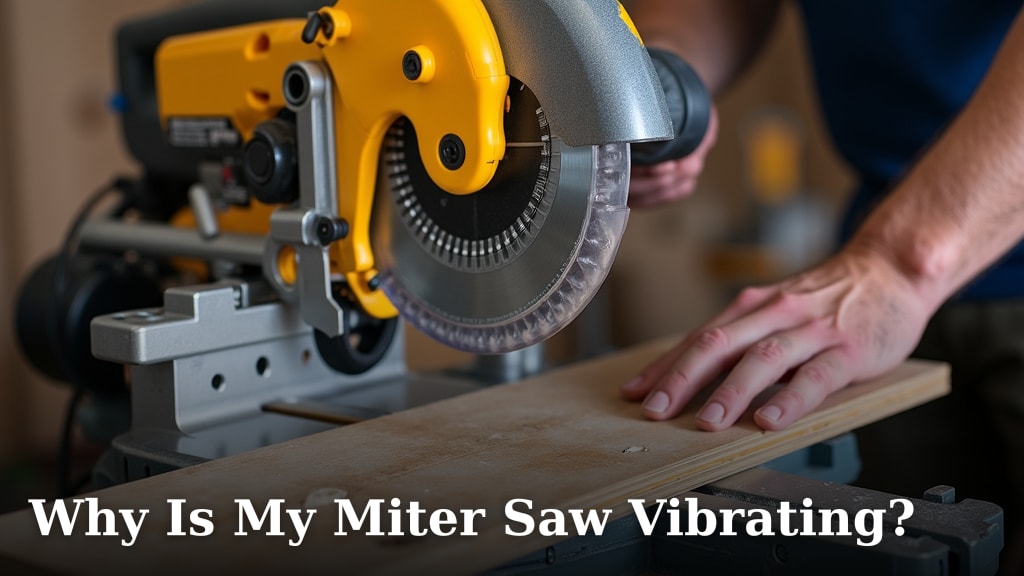
Why Is My Ryobi Miter Saw Slide Locked?
If your Ryobi miter saw slide movement is locked, unplug the saw and check the slide lock, rails, and carriage for an obstruction. Slide travel and the saw head release are separate, so check each mechanism on its own.
On this page (9 sections)
- Is the slide locked, or is the saw head locked down?
- What should you check before moving the carriage?
- Could a lock knob or transport setting be stopping the slide?
- Can dust or debris bind the Ryobi slide rails?
- What if the slide moves only partway or feels rough?
- Can the blade or an accessory free a locked slide?
- Which accessories help after the saw is moving freely?
- When should you stop and get service?
- What should you do if your Ryobi miter saw slide movement is locked?
If your Ryobi miter saw slide movement is locked, unplug the saw and check the slide lock, rails, and carriage for an obstruction. Slide travel and the saw head release are separate, so check each mechanism on its own.
Don't force the carriage or pull the saw head upward while the tool is plugged in. Identify what is actually stuck, then use the instructions for your exact Ryobi model.
Is the slide locked, or is the saw head locked down?
A slide lock restricts the carriage moving along its rails; a head lock keeps the saw head lowered. They are different controls, and releasing one won't necessarily free the other.
With the saw unplugged, look for the part that moves. If the head lifts but the carriage won't travel, focus on the slide lock and rails.
If the carriage moves but the head stays down, consult the manual's head-release steps.
A miter or bevel lock can also make the saw feel stuck, but those controls adjust the cutting angle. If the turntable is what won't rotate, see why a Ridgid miter saw turntable gets stuck.
A locked angle control is a different problem from restricted slide movement.
What should you check before moving the carriage?
Unplug the saw, support the head, and check the manual before touching the slide mechanism. Keep your hands clear of the blade and don't test the motor while investigating a bind.
- Unplug the saw and let the blade stop completely.
- Support the saw head so it can't drop or swing unexpectedly.
- Identify the slide lock or carriage knob using the manual for your model.
- Check the visible rails and carriage area for loose debris or a caught cord.
- Release the lock as instructed, then try gentle carriage movement.
If the lock is hard to identify, use the model number to find the correct manual on Ryobi's support site. Different saws can use different lock layouts and release steps.
For broader troubleshooting, How To Fix A Miter Saw? covers other common lock and movement problems. Start with the part that is actually stuck so you don't adjust the wrong control.
Could a lock knob or transport setting be stopping the slide?
Yes, an engaged slide lock or transport position can limit carriage travel. Check the manual for the lock's location and release direction; don't assume every Ryobi model uses the same control.
Look for a knob, pin, or latch near the carriage or rails. If it is engaged, release it only as the manual directs, then move the carriage gently while supporting the head.
If the control won't turn or release with light pressure, stop. Forcing it can damage the lock or leave the carriage unsafe to use.
What if the head release is the part that won't move?
Treat a stuck head release separately from a locked slide. Keep one hand supporting the head, then follow the manual's steps for releasing the head lock or transport pin.
Don't pull hard on the handle to overcome a pin or latch. If the release stays jammed after you follow the manual, contact Ryobi support or a qualified service center.
Can dust or debris bind the Ryobi slide rails?
Dust, chips, or a caught object can obstruct carriage travel. Read aluminum chip damage before using the saw around metal debris.
With the saw unplugged, inspect the exposed rail path and remove only loose debris you can reach safely.
Use a dry brush or vacuum around accessible areas if your manual permits it. Keep fingers away from pinch points, and don't push debris deeper into the mechanism.
Don't apply oil or spray lubricant unless the manual for your saw specifies a product and location. Lubricant can collect sawdust, and some rails are designed to operate clean and dry.
If the carriage is visibly bent, damaged, or uneven, don't try to straighten it yourself. See why a miter saw base is not flat for a related base issue.
Have the saw inspected before using it again.
What if the slide moves only partway or feels rough?
Partial travel or rough movement can point to an obstruction, a lock that is not fully released, or a mechanical problem. Don't force the carriage through a tight spot.
Check for material trapped behind the saw or near the rail ends, and make sure the cord isn't caught as the saw moves. Remove only loose, reachable debris with the tool unplugged.
A smooth start followed by a sudden stop often means something is blocking the path. Grinding, scraping, repeated catching, or visible rail damage calls for service.
If the saw also shakes during operation, stop using it and review why a miter saw vibrates. Vibration and a locked slide are separate symptoms, but both deserve attention before cutting resumes.
Can the blade or an accessory free a locked slide?
A blade or cutting accessory won't release a stuck carriage. Fix the slide lock or obstruction first, then choose accessories based on the work you plan to do.
This DEWALT set includes one 80-tooth blade and one 32-tooth blade. Check your saw manual for blade size and compatibility before buying or installing a blade.
Skip a blade change as a troubleshooting step. If you need to check how much a Ryobi miter saw costs, compare the exact model and included features before deciding whether service or replacement makes sense.
Which accessories help after the saw is moving freely?
Use accessories for the cut or setup task they are made for, not to force a repair. Confirm your saw model's compatibility before adding any part.
These DEWALT crown stops are described for specific DEWALT saw models. They aren't a Ryobi slide repair part, so verify compatibility before considering them for any saw.
This Freud blade is for a 7-1/4 in circular saw. Don't install it on a miter saw just because the blade appears close in size; use only the blade size and type your saw manual allows.
When should you stop and get service?
Stop troubleshooting if the lock is damaged, the rails bind after clearing loose debris, or the carriage needs force. A slide that doesn't move smoothly can affect control during a cut.
Keep the saw unplugged and contact Ryobi support or a qualified service center if you hear grinding, see bent parts, or can't identify the correct release. Don't remove guards or covers to reach internal components unless the manual specifically instructs you to do so.
If the saw starts vibrating after the slide is freed, don't resume cutting until you find the cause. A miter saw laser guide that is off is a separate alignment issue and won't explain a mechanically locked carriage.
What should you do if your Ryobi miter saw slide movement is locked?
For Ryobi miter saw slide movement locked in place, check the slide lock first, clear only loose visible debris, and stop if the carriage still binds. Keep the head supported and follow the manual for your exact model.
If only the head is stuck down, follow the separate head-release instructions. If the slide remains rough or jammed, arrange service before making another cut.
Frequently asked questions
Why is my Ryobi miter saw slide locked?
The slide lock may be engaged, debris may be blocking the rails, or the carriage may be binding. Unplug the saw, check the manual for your model, and inspect the rails and lock without forcing the carriage.
If the head itself won't lift, check its release mechanism separately.
How do I open the slide on a Ryobi miter saw?
With the saw unplugged, find the slide lock or carriage knob described in your model's manual and release it as instructed. Keep the saw head supported while checking whether the carriage moves smoothly.
Stop if it catches, grinds, or needs force, and don't remove covers to reach internal parts.
Is the Ryobi miter saw head lock the same as the slide lock?
No. The head lock holds the saw head down for storage or transport, while the slide lock restricts carriage travel on a sliding model.
Identify which part is stuck before troubleshooting, and follow the model manual for its release steps.
Can I lubricate Ryobi miter saw slide rails?
Use lubricant only if your exact Ryobi manual calls for it and specifies where and what kind. Some rails need to stay clean and free of residue that collects dust.
Unplug the saw, remove loose debris as directed, and don't spray lubricant into the motor or other enclosed parts.